
Understanding how exchange orders work is important for anyone who wants to follow digital market activities more effectively. Every order goes through different stages before reaching its final status, and knowing these steps helps users understand what happens behind the scenes. For Playinexch users, learning the complete order life cycle can make it easier to understand how orders are created, processed, updated, and completed.
When users access their account through Playinexch Login, they may see different order statuses depending on market conditions and system processing. Each status represents a specific stage, from the moment an order is created until it is either completed or removed.
What Is an Exchange Order Life Cycle?
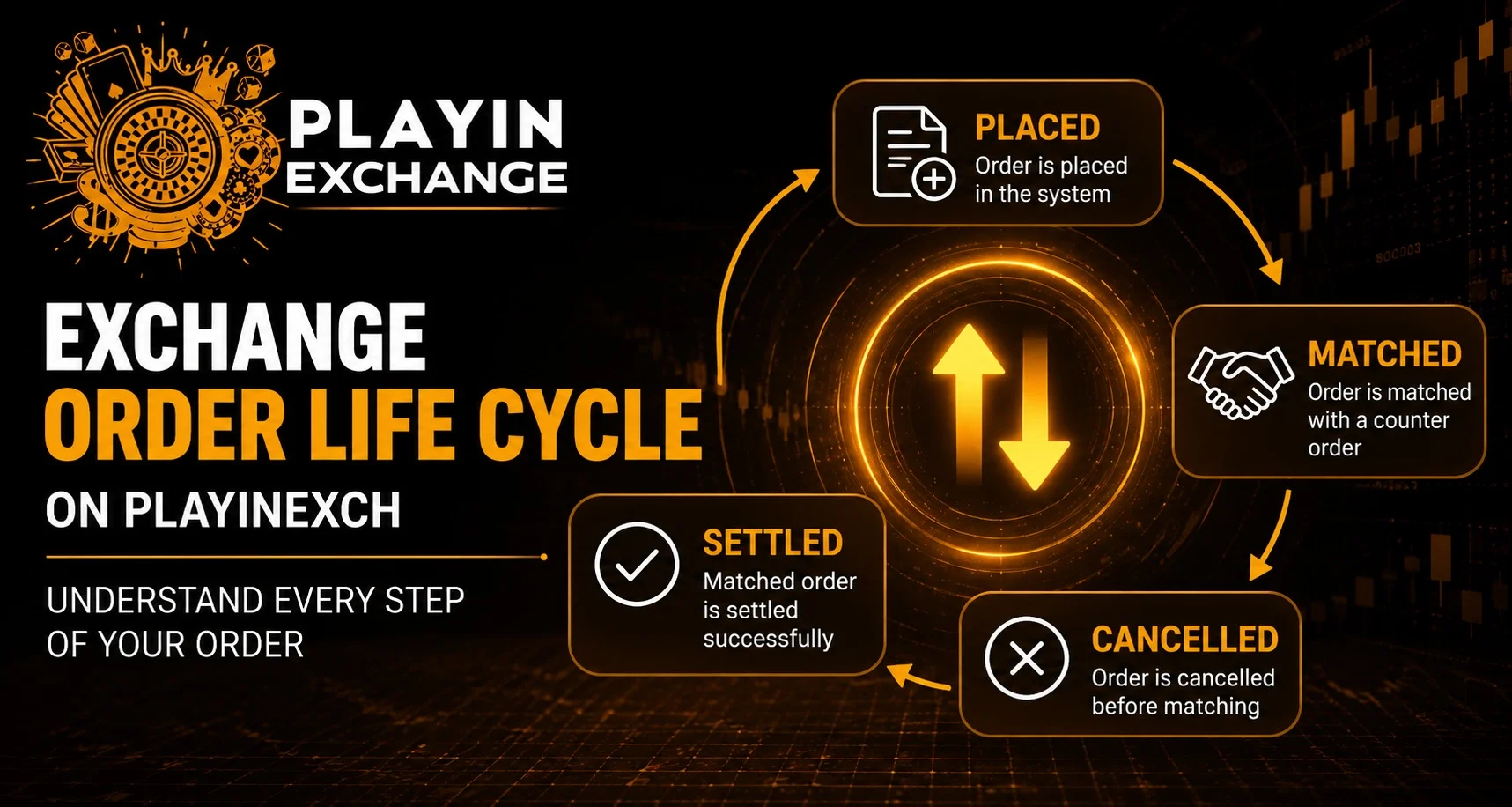
An exchange order life cycle refers to the complete journey of an order after it is submitted. Instead of immediately becoming final, an order moves through multiple stages based on availability, matching conditions, and market activity.
The main stages include:
- Placed
- Matched
- Cancelled
- Settled
Each stage provides information about what is happening with the order.
Stage 1: Order Placed
The first step begins when a user creates an order and submits it successfully. At this stage, the order enters the exchange system and waits for suitable matching conditions.
A placed order means:
- The request has been submitted
- The system has received the order details
- The order is waiting for a match
However, being placed does not always mean the order will be completed. It depends on whether another suitable order becomes available.
Factors That Affect a Placed Order
Several factors can influence whether an order moves forward:
- Current market activity
- Available matching opportunities
- Price differences
- Timing of the request
- User-selected conditions
During periods of high activity, orders may move quickly. In slower markets, they may remain in the placed stage for longer.
Stage 2: Order Matched
An order becomes matched when another suitable order is found that meets the required conditions. This means both sides of the exchange transaction have been connected.
A matched order indicates:
- The system found a compatible request
- The exchange process has been completed at that stage
- The order is no longer waiting for another match
Users tracking activities through Play Exchange features should understand that matching depends on available market conditions.
Why Some Orders Do Not Get Matched
Not every placed order reaches the matched stage. Several reasons can prevent matching, including:
- No available opposite order
- Different price expectations
- Market movement
- Order cancellation before matching
Understanding this process Helps users avoid confusion when an order remains pending.
Stage 3: Order Cancelled
An order may be cancelled when it is removed before completion. Cancellation can happen because of user action or specific system conditions.
Common reasons include:
- User manually cancels the order
- The order is no longer needed
- Market conditions change
- The order reaches an expiry condition
A cancelled order means the exchange process stops before settlement.
Managing Orders Through Mobile Access
Mobile platforms allow users to monitor their activities more conveniently. Users accessing through Playinexch Apk should ensure they understand available account features and order management options.
Mobile access can help users:
- Review order status
- Check previous activity
- Monitor updates
- Manage account settings
However, users should always review information carefully before making changes.
Stage 4: Order Settled
Settlement is the final stage of the order life cycle. Once an order reaches settlement, the system completes the process according to the final outcome and applicable rules.
A settled order means:
- The transaction process is completed
- Final results are recorded
- Account records are updated
Settlement provides the final status after all required conditions have been completed.
Importance of Understanding Order Status
Knowing the difference between placed, matched, cancelled, and settled orders helps users understand their account activity better.
Benefits include:
- Better tracking of transactions
- Clear understanding of order progress
- Easier identification of issues
- Improved account management
Users with a Playinexch ID can review order history to understand how previous activities moved through different stages.
Common Mistakes Users Make With Exchange Orders
Many users misunderstand order processing because they expect immediate completion. Exchange systems depend on matching availability, so every order follows its own timeline.
Common mistakes include:
- Assuming every placed order will match
- Ignoring market conditions
- Cancelling without reviewing details
- Not checking order history
Learning the process helps users make more informed decisions.
How Order Life Cycle Knowledge Improves Experience
Understanding order movement creates a clearer picture of how exchange systems operate. Instead of focusing only on the final result, users can follow each step and understand why an order reaches a particular status.
Whether checking placed orders, reviewing matched activity, or understanding settlements, awareness improves overall platform navigation.
Conclusion
The exchange order life cycle explains how every order moves from creation to completion. Understanding the stages of placed, matched, cancelled, and settled helps users follow their activities with greater clarity. By learning how order processing works, users can better understand exchange systems and manage their account activity more effectively.
Frequently Asked Questions (FAQs)
1. What does a placed order mean?
A placed order means the request has been submitted successfully and is waiting for matching conditions.
2. Why does an order remain unmatched?
An order may remain unmatched when there is no suitable opposite order available or market conditions do not meet the required criteria.
3. Can users cancel a placed order?
Yes, users may cancel an order before it reaches the matched stage, depending on available options.
4. What happens after an order is settled?
After settlement, the transaction process is completed and the final status is recorded in account history.
5. Does every order go through all stages?
Not always. Some orders may be cancelled before matching or may remain unmatched.
6. How can users check their order status?
Users can review their account activity and order history after accessing their account through available platform features.


