
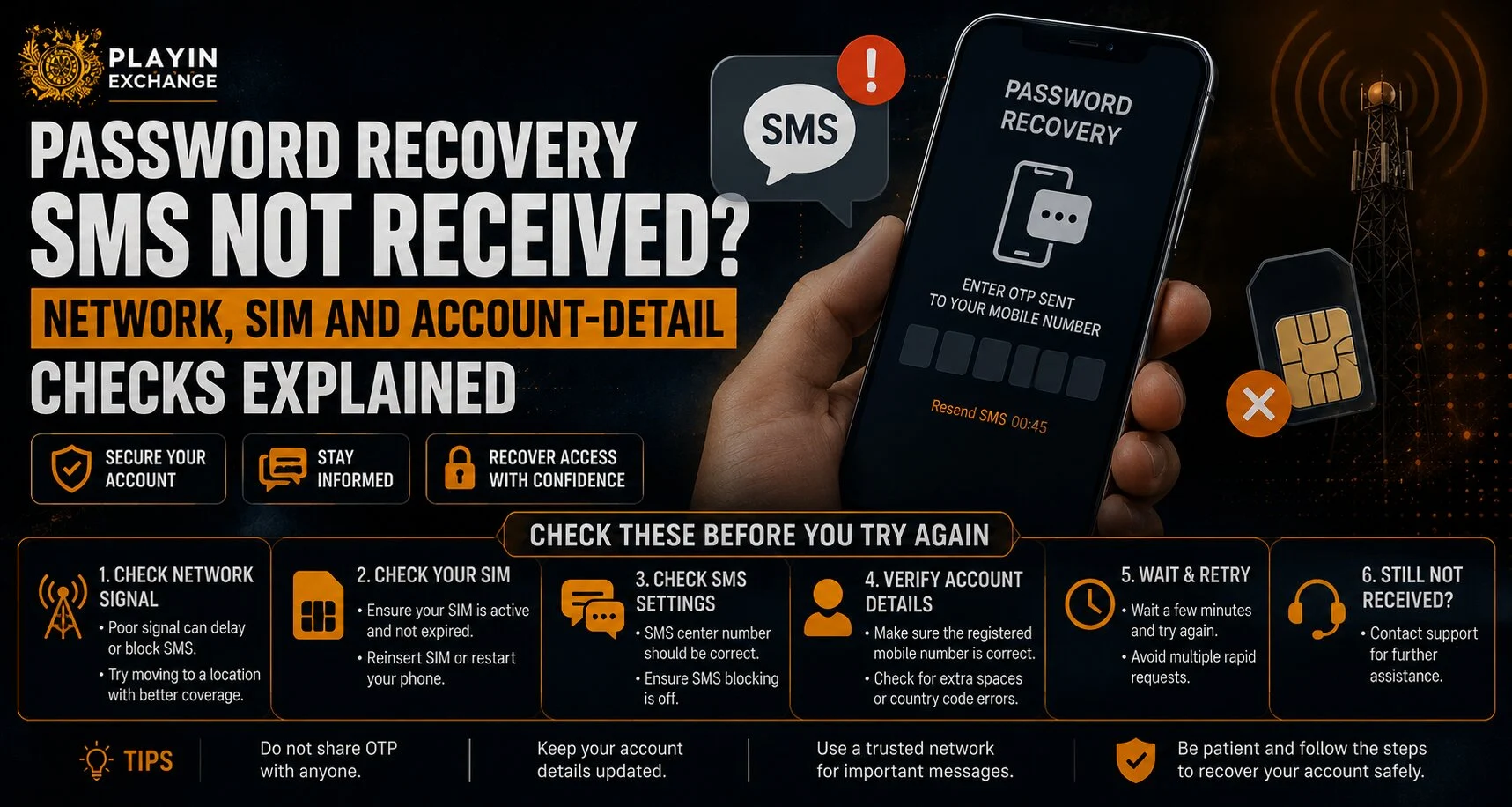
A password recovery SMS is usually expected within seconds, but sometimes the verification code does not arrive immediately. For users trying to regain access to Playinexch, the problem may be caused by mobile network delays, an inactive SIM, incorrect account details, blocked messages, or temporary service issues. Before repeatedly requesting new codes, it is better to check the most common causes systematically and confirm that the registered mobile number is still available.
Why Might a Password Recovery SMS Be Delayed?
Verification messages rely on several systems working together. The website sends a request, an SMS provider processes it, and your mobile operator delivers it to the SIM connected to your phone.
A delay at any stage can prevent the message from arriving on time.
Common causes include:
- Weak or unstable mobile signal
- Temporary telecom network congestion
- Incorrect registered mobile number
- An inactive or expired SIM
- SMS filtering or spam protection
- Full message storage on older devices
- Multiple code requests within a short period
- Temporary account-security restrictions
If you are attempting a Playinexch Login, checking these basic factors first may save time before contacting support.
Check Your Mobile Network Signal
The first step is confirming that your phone is connected to the mobile network.
SMS verification normally depends on cellular connectivity rather than Wi-Fi. A phone can have a strong Wi-Fi connection while still having poor mobile reception.
Try the following:
- Check whether normal SMS messages are arriving.
- Confirm that mobile signal bars are visible.
- Turn Airplane Mode on and off.
- Restart the phone.
- Move to an area with better network coverage.
- Wait a few minutes if the mobile network appears congested.
Users accessing Play Exchange services should avoid requesting several recovery codes while the network is unstable because earlier messages may arrive later and create confusion.
Confirm That the Correct SIM Is Active
Many smartphones support two SIM cards, which can make recovery messages harder to locate.
Check whether the SIM linked to your account is:
- Inserted correctly
- Currently active
- Able to receive SMS
- Connected to a mobile network
- Not suspended by the telecom provider
If you recently changed phones, moved to an eSIM, replaced a damaged SIM, or transferred your number, SMS delivery may temporarily behave differently.
Always confirm that the number connected with your Playinexch ID remains under your control.
Verify the Registered Mobile Number
One of the most common recovery problems is requesting a code for a number that is no longer associated with the account.
This can happen if:
- You entered the wrong number during recovery.
- Your account contains an older mobile number.
- The country code was entered incorrectly.
- You recently changed your registered contact details.
Check the partially masked phone number shown on the recovery screen, if available.
If the displayed digits do not match your current number, repeatedly requesting another SMS is unlikely to solve the issue. You may need to use the platform’s official account-support process instead.
Check Spam and SMS Filtering Settings
Modern smartphones can automatically filter messages that appear promotional, suspicious, or unknown.
Look inside:
- Spam or blocked messages
- Unknown sender folders
- SMS filtering applications
- Carrier spam-protection settings
Some third-party security applications can also block automated verification messages.
If necessary, temporarily review these settings and request a new code only after confirming that messages from unknown senders are allowed.
Avoid Requesting Too Many Codes
Pressing “Resend Code” repeatedly can make the situation more complicated.
Security systems may limit repeated requests to protect accounts from automated attacks. Multiple codes can also arrive out of order, making it unclear which one is still valid.
When recovering a Playinexch Online ID, a safer approach is to:
- Request one verification code.
- Wait for the stated delivery period.
- Check network and SIM status.
- Request another code only if necessary.
- Use the most recently issued valid code.
Older codes may automatically expire after a new one is generated.
Check Your Phone’s Date, Time and Storage
Although these issues are less common, basic device settings can sometimes interfere with authentication.
Make sure:
- Automatic date and time are enabled.
- Your phone has enough storage.
- The messaging application is functioning normally.
- Your device software is reasonably up to date.
Restarting the phone can also clear temporary messaging or network problems.
What If You No Longer Have the Registered SIM?
If you permanently lost access to the mobile number linked with the account, normal SMS recovery may not work.
Do not create repeated recovery attempts using unrelated numbers.
Instead, prepare account information that can help legitimate support verify ownership, such as:
- Registered username
- Registered phone number
- Approximate account creation details
- Relevant account information requested through official channels
Never share your password, OTP, PIN, or sensitive banking credentials with anyone claiming they can recover your account.
When Should You Contact Support?
Contact official support when basic troubleshooting has failed and the SMS still does not arrive.
Before contacting support, record:
- Time of the recovery attempt
- Registered mobile number with sensitive digits masked
- Screenshot of any error message
- Device and browser being used
- Whether normal SMS messages are working
Providing clear information can help identify whether the problem relates to your device, telecom network, or account configuration.
Conclusion
A missing password recovery SMS does not always mean there is a serious account problem. Network delays, SIM issues, outdated account details, spam filters, and repeated code requests are common causes.
Start by checking mobile signal, confirming the correct SIM, reviewing the registered number, and allowing enough time for delivery. If the message still does not arrive, use official account-support channels rather than sharing sensitive information with third parties.
Frequently Asked Questions
Why am I not receiving my password recovery SMS?
The most common causes include weak mobile signal, network congestion, an inactive SIM, incorrect registered details, or SMS filtering.
Does Wi-Fi affect verification SMS delivery?
Usually no. SMS messages are generally delivered through your mobile network, so good Wi-Fi does not guarantee that a recovery message will arrive.
Should I keep pressing the resend button?
No. Requesting too many codes can create delays or cause older codes to expire. Wait before requesting another one.
What if my registered phone number is no longer active?
You may need to contact official account support and complete the required ownership-verification process.
Can a dual-SIM phone cause recovery SMS problems?
Yes. Confirm that the SIM linked to your account is active, connected to the network, and able to receive messages.
Is it safe to give an OTP to customer support?
No. Verification codes, passwords and security PINs should not be shared with anyone.


