
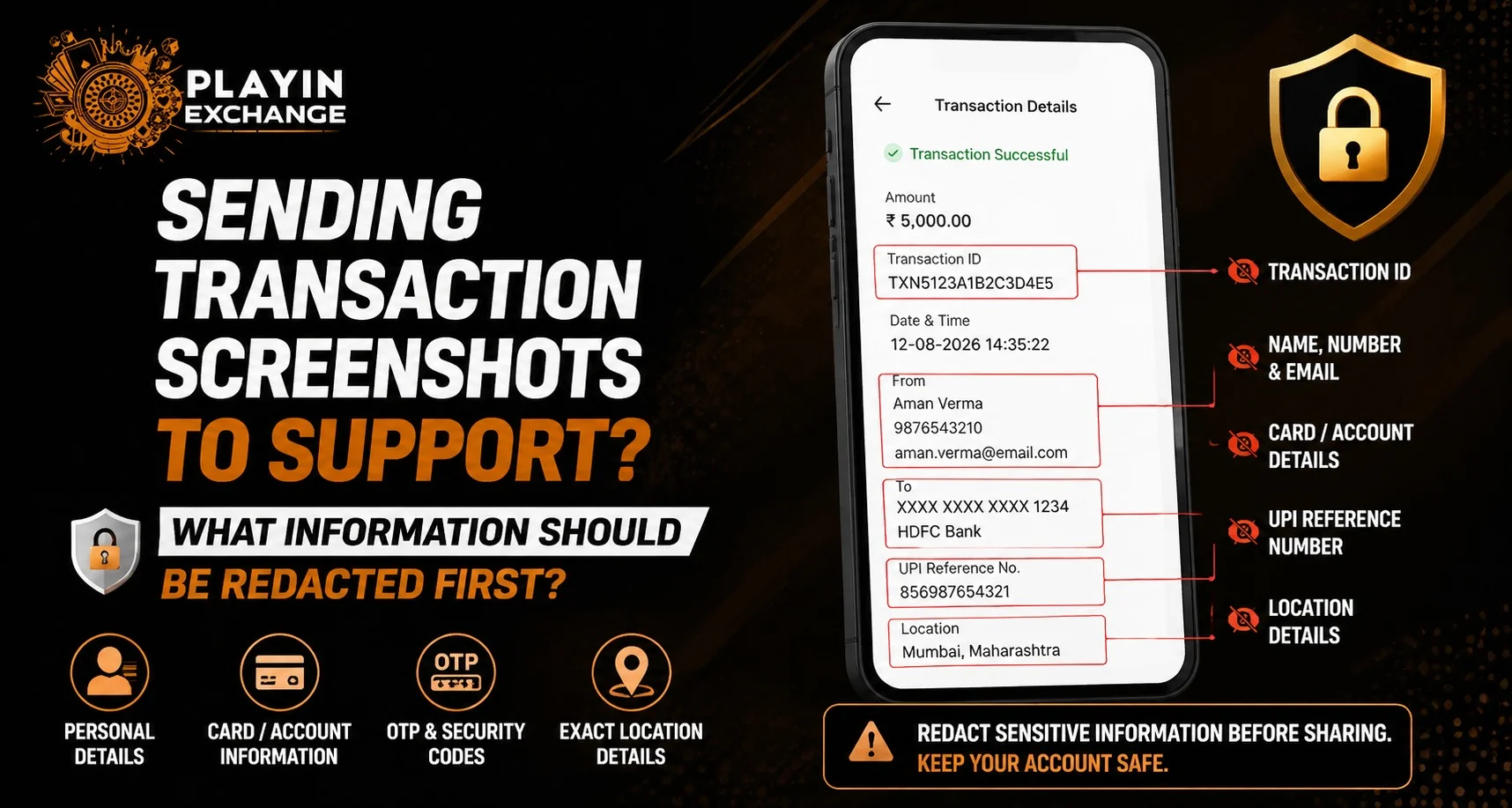
When users contact customer support for transaction-related issues, screenshots are often useful for explaining problems quickly. However, sharing screenshots without removing sensitive details can create unnecessary privacy risks. Playinexch users should understand which information needs to be hidden before sending payment proofs, transaction records, or account-related images to support teams.
A properly prepared screenshot can provide the required details while protecting important personal information. Whether users are checking issues after Playinexch Login or contacting support through other channels, knowing what to hide helps maintain better account security.
Why Should Transaction Screenshots Be Redacted?
Transaction screenshots often contain more information than users realise. A payment confirmation image may include personal details, account information, or identifiers that are not required for solving the issue.
Redacting unnecessary information helps:
- Protect personal data
- Reduce exposure of financial details
- Prevent misuse of account information
- Share only relevant details with Support teams
The goal is not to hide important transaction proof but to remove details that are unrelated to the support request.
Information You Should Hide Before Sharing a Screenshot
Before sending a transaction screenshot, review the image carefully and remove sensitive information that does not help resolve the issue.
Mobile Number
Many payment confirmations display the registered mobile number. If support does not specifically require it, consider hiding part or all of the number.
Sharing your mobile number publicly or unnecessarily can increase the risk of unwanted contact attempts.
Bank Account Details
Transaction pages may show:
- Bank account numbers
- Account holder names
- UPI-linked bank information
- Payment account details
Only share the minimum information required to verify the transaction.
UPI IDs and Payment Identifiers
UPI details can reveal personal payment information. Before sharing screenshots, check whether your UPI ID or payment address is visible.
If the support team does not require it, covering these details can improve privacy.
Personal Names and Addresses
Some transaction receipts display:
- Full name
- Billing details
- Registered address
If these details are unrelated to the issue, they can be hidden before uploading the screenshot.
Information You Should Keep Visible
While protecting privacy is important, removing too much information can make it difficult for support teams to verify the issue.
Useful details to keep visible may include:
- Transaction date and time
- Transaction status
- Reference number (if required)
- Amount involved
- Payment status message
These details usually help support teams understand what happened and provide the correct assistance.
Avoid Sharing Passwords and Security Codes
No legitimate support process should require users to share confidential login information.
Never include:
- Passwords
- OTP messages
- PIN numbers
- Security answers
- Verification codes
If these details appear accidentally in a screenshot, remove them immediately before sharing.
How to Edit a Screenshot Safely
Users can prepare screenshots using simple editing methods before sending them to support.
Helpful steps include:
- Open the screenshot in an editing tool.
- Cover sensitive information using blur or solid masking.
- Check the image again before sending.
- Confirm that only necessary details remain visible.
Avoid using unknown editing websites or applications that may collect uploaded images.
Common Mistakes When Sharing Payment Proof
Many users accidentally expose private information while trying to solve a transaction issue.
Common mistakes include:
- Sending the complete payment history
- Sharing multiple screenshots unnecessarily
- Leaving OTP messages visible
- Showing account passwords
- Uploading images without checking details
A carefully prepared screenshot provides enough information without exposing unnecessary data.
How Secure Support Practices Improve User Experience
A good support process should focus on solving issues while respecting user privacy. Users accessing their accounts through Playinexch Apk should follow safe practices when submitting documents or screenshots.
Before sharing any account-related information, users should:
- Confirm they are contacting the correct support channel
- Remove unnecessary personal details
- Keep transaction information limited to the issue
- Avoid sharing confidential credentials
Protecting Your Account Information During Support Requests
Account security is a shared responsibility. Users managing their Playinexch ID should remain careful whenever they exchange information online.
Following basic privacy steps can help prevent:
- Unauthorised account access
- Identity misuse
- Payment-related risks
- Accidental data exposure
Understanding what to share and what to hide creates a safer digital experience.
How Play Exchange Users Can Handle Transaction Issues Better
Transaction-related concerns can often be resolved faster when users provide clear and relevant information. A screenshot should explain the problem, not reveal unnecessary personal details.
By sharing only important transaction details and removing private information, users can communicate effectively while maintaining better security practices.
Conclusion
Sending transaction screenshots can help support teams resolve payment-related concerns faster, but users should always review images before sharing them. Redacting sensitive details such as bank information, mobile numbers, UPI details, and security codes protects personal data.
Keeping only essential transaction details visible allows support teams to verify issues without exposing unnecessary information. Safe screenshot-sharing habits are an important part of maintaining account privacy in any digital platform environment.
FAQs
Why should transaction screenshots be redacted?
Redacting screenshots helps protect personal and financial information while still providing support teams with the details needed to solve an issue.
What information should never be shared in a screenshot?
Users should never share passwords, OTPs, PINs, or security verification codes.
Should I hide my bank details before sending a payment screenshot?
Yes, hide unnecessary bank details unless support specifically requires them for verification.
Which details should remain visible in a transaction screenshot?
Transaction date, amount, status, and relevant reference details are usually the most useful information.
Can I use any editing tool to hide sensitive information?
It is better to use trusted editing tools and avoid uploading screenshots to unknown websites.
Does customer support need my complete payment history?
No, usually only the specific transaction details related to the issue are required.


